
MB to KB Converter Photo: Reduce Image Size Online Free
An mb to kb converter photo tool solves a problem almost everyone runs into. Your phone takes a photo that’s 3 or 4 MB. The form you’re filling only accepts files measured in KB. Simply changing how the size is written doesn’t shrink the file. You need actual compression, and that’s what this tool does. Upload your photo, and it comes back smaller and ready to upload.
MB to KB Converter
Compress JPG, PNG, JPEG and WEBP images instantly. Everything happens inside your browser. No uploads. 100% private.
Drag & drop images here
or click to browse — you can also paste an image
Supports JPG, JPEG, PNG, WEBP · Max 25MB per file
Compression Settings
Selected Images 0
Compressing…
Summary
Results
Reduce Your Image From MB to KB
Upload your image, then enter or select the KB size you need. Start the compression and see the file size when it’s finished. Preview the result and if it looks good, download it. The tool works with JPG, JPEG, PNG, and WEBP files.
What Is an MB to KB Converter Photo?
People search for this phrase meaning one of two different things. Some just want the KB equivalent of an MB number, a simple unit conversion. Most people, though, need their image file physically reduced from MB down to a much smaller KB size. That second meaning is what matters when a website has a strict upload limit.
Here’s the distinction in practice. A 4 MB image can be described in KB using basic math. It’s still a 4 MB file until you compress it. A real mb to kb photo converter changes the file itself, not just how its size is labeled. That’s the difference that actually gets your upload accepted
MB to KB Conversion Explained
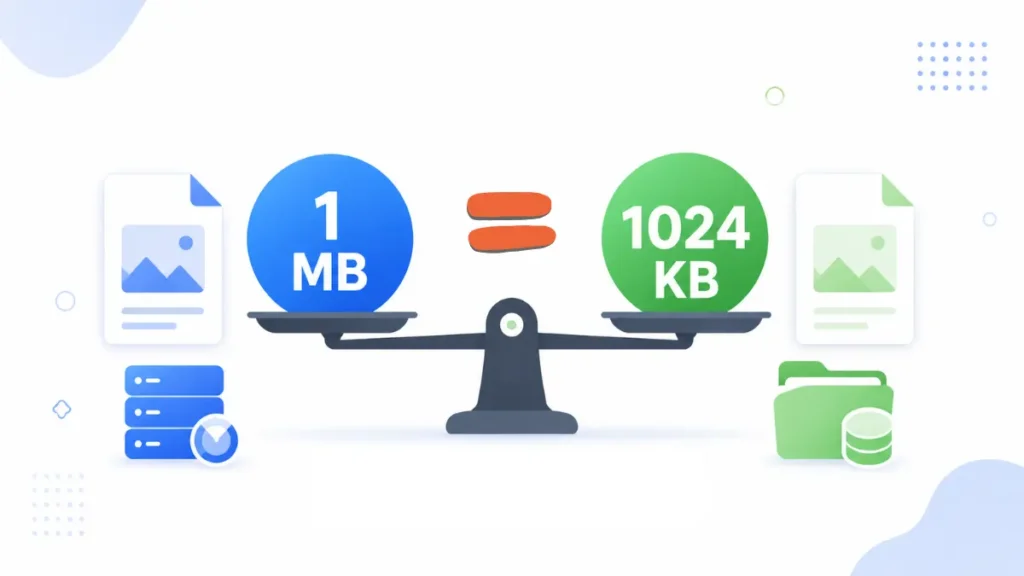
The relationship between MB and KB isn’t quite as fixed as most people assume. Decimal units, the kind most operating systems and websites use, treat 1 MB as 1,000 KB. Binary units, sometimes labeled MiB and KiB, treat 1 MB as 1,024 KB instead. Software and websites don’t always agree on which one they use. That’s why file sizes can look slightly different from one place to another.
| Size | Decimal Equivalent | Common Use |
|---|---|---|
| 1 MB | 1,000 KB | Small PDF, compressed photo |
| 2 MB | 2,000 KB | Standard phone photo, scanned page |
| 5 MB | 5,000 KB | High-resolution photo, multi-page scan |
These numbers only convert the units. They don’t compress the image at all. A 4 MB photo is still 4 MB whether you call it 4,000 KB or 4,096 KB. Getting an actual smaller file requires compression, which is a separate step entirely.
Every file stored on your phone or computer has a size. That size tells you how much storage space the file uses. Images, PDFs, videos, and documents all use the same measurement system.
How to Reduce an Image From MB to KB
Start with your original image rather than a previously compressed copy. Upload it to the tool then choose the target size you need in KB. Compress the image and let the tool do its job. When the file is done, check the file size of the output and preview the quality before you finalise.
How much compression an image needs is a function of a number of things at once. The original file size, pixel size and format of the picture are important. How much visual detail it holds, and the compression level applied, matter too. A large, detailed photo often needs its dimensions reduced too, not just heavier compression.
This mb to kb image compressor approach actually processes the file to convert image from mb to kb. It’s the only way to hit an exact target reliably. Download the result once it looks clear enough for your form.
MB to KB Converter JPG Image
JPG is the most common format for photographs, and for good reason. It uses lossy compression, which lets a photo shrink dramatically while still looking reasonable at sensible compression levels. An mb to kb converter JPG tool can take a multi-megabyte photo down to a fraction of that size. The quality drop is usually not obvious at sensible compression levels.
Push it too hard, though, and problems show up. Aggressive compression can blur fine detail, create blocky patches, or shift colors slightly. If you’re searching for an mb to KB JPG option, it’s usually because JPG handles photographs better than PNG does. PNG is still the way to go for screenshots, graphics, or anything where lossless quality or transparency is more important than file size.
What Determines the Size of an Image File?
There are several things that affect how big or small the final file is. Pixel dimensions play a big role. A 4000×3000 photo holds far more data than an 800×600 one, even in the same format. Format itself matters too, along with compression level, visual detail, color variety, and busy textures.
Hidden metadata adds weight as well. Camera model, GPS location, and timestamps get saved inside a photo automatically, even though you never see them. Stripping that data can shave off some size with zero visible difference. An mb to kb image with fewer pixels and less embedded data will almost always compress smaller. That’s true even against a larger, detail-heavy photo at the same visual size. Dimensions and file size are related, but they’re not the same thing.
How to Reduce Image Size Without Ruining the Photo
Start with your original image rather than an already-compressed one. Crop out anything unnecessary before you compress, since extra space adds size for no reason. Reduce pixel dimensions when it makes sense, especially for a very large photo. Use JPG for ordinary photographs when the form accepts it. Stick with PNG when transparency or lossless detail actually matters.
Avoid compressing the same file over and over, since each pass loses a little more quality. Preview the result before downloading, and keep your original file saved somewhere safe. If a form gives you a size range, aim for the middle rather than the smallest number.
Squeezing to the exact minimum tends to hurt clarity the most. Sometimes reducing dimensions produces a cleaner result than keeping a huge image and compressing it hard.
Why Do You Need to Reduce an Image From MB to KB?
Online forms are the most common reason, whether that’s a job application, an exam registration, or a college portal. Aadhaar, PAN, passport, and bank KYC services often have their own strict size limits too. A phone camera can easily produce a 4 MB photo, but a government portal might accept only a 50 KB passport photo, and the upload simply fails without compression.
Profile uploads, general document submissions, and email or messaging limits can cap file size as well. If your form specifically asks for a 20 KB photo, resize your photo to 20 KB with our dedicated tool.
Requirements vary a lot from one platform to another, so there’s no single number that works everywhere. Before uploading anything, check the maximum file size, accepted format and any required dimensions.
Frequently Asked Questions
How do I convert a photo from MB to KB?
Mathematical conversion just relabels the size. Actual compression, using a tool like this one, is what shrinks the real file.
How do I reduce a 5 MB photo to KB?
Upload the image, choose your target KB size, and let the tool compress it down for you.
Can I convert a JPG from MB to KB?
Yes, JPG compresses well for photographs, and this mb to kb converter photo tool handles it directly.
Does converting MB to KB reduce image quality?
Simple unit conversion doesn’t affect quality at all. Real compression can, especially if you push it too far.
Why is my image still large after compression?
Dimensions, format, detail level, and compression strength all affect the final size, so one setting rarely fits every photo.
Conclusion
Changing MB into KB as a measurement doesn’t make a file physically smaller. Getting a large photo down to a usable size takes real compression, and sometimes a dimension reduction too. Always check your form’s exact requirements before you upload. With the right mb to kb converter photo tool, that process takes less than a minute.
PIXARU
Our Related Helpful Tools