
Free PDF to JPG Converter – Convert PDF Pages Online
Looking for a reliable pdf to jpg converter? You download an important document, open the application website, and click Upload. Then an error appears. The website accepts only JPG images.
It happens every day. Government portals, college admission forms, banking websites, and job applications often ask for image files instead of PDFs. Most people solve the problem by taking screenshots. That works, but the image usually loses quality and takes more time than it should.
A pdf to jpg converter gives you a cleaner result. Upload the PDF, wait a few seconds, and download each page as a JPG image. There is nothing to install, and you don’t need editing software.
The converted images are easier to upload, share, and store. They also open quickly on almost every phone, tablet, and computer.
PDF to JPG Converter
Convert PDF pages to JPG, PNG or WEBP images instantly. Everything happens inside your browser. No uploads. 100% private.
Drag & drop PDF files here
or click to browse — you can also paste a PDF
Supports PDF · Max 50MB per file
Conversion Settings
Left = highest quality, right = smallest files. Not used for lossless PNG.
Applies to every PDF in the queue. Example: 1-3,5,8
Selected PDFs 0
Converting…
Summary
Converted Pages
Why Use a PDF to JPG Converter?
PDF is one of the most trusted document formats. It keeps text, images, and page layouts exactly where they belong. That makes it perfect for reports, certificates, invoices, and official forms.
The problem starts when a website asks for an image instead of a document.
Think about a passport application. You have your scanned birth certificate saved as a PDF. The upload page accepts only JPG. The document is correct, yet the website refuses it.
The same thing happens with:
- College admission forms
- Scholarship applications
- Bank KYC documents
- Employee verification
- Online registrations
Changing the document into a JPG image fixes the problem without changing the content.
What Does a PDF to JPG Converter Actually Do?
Many people believe the converter simply changes the file extension. That is not how it works.
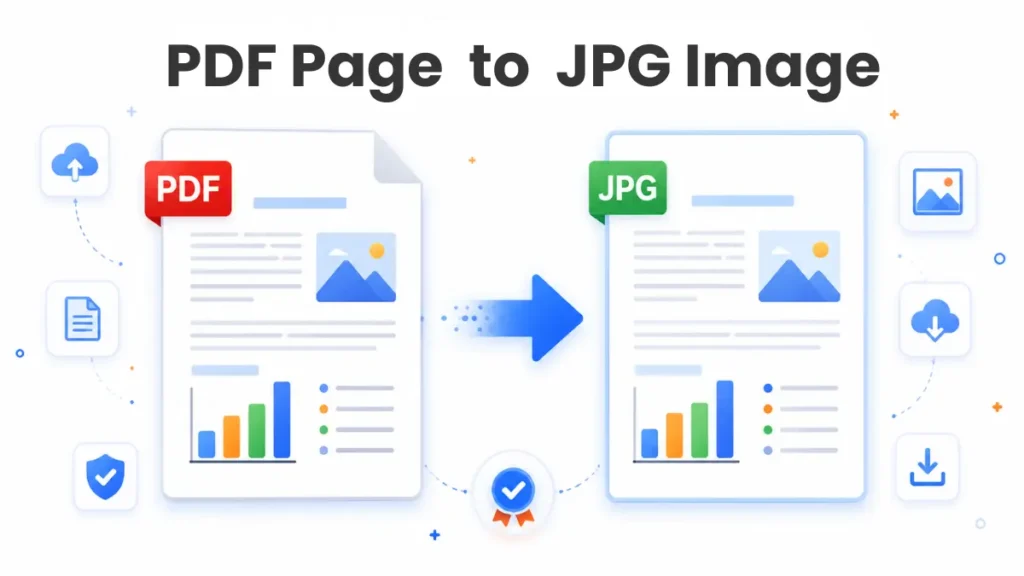
Every PDF contains one or more pages. The converter reads each page and creates a new image from it. If your document has five pages, you’ll receive five separate JPG images.
This becomes useful in everyday situations.
Imagine a landlord asks for the first page of your rental agreement. Sending the whole PDF is unnecessary. Convert the document and share only the page they need.
Teachers do something similar with worksheets. Instead of sending a ten-page PDF to a class group, they convert one page into an image and post it in the chat. Students can open it instantly without downloading the full document.
Small changes like these save time every day.
PDF and JPG Serve Different Jobs
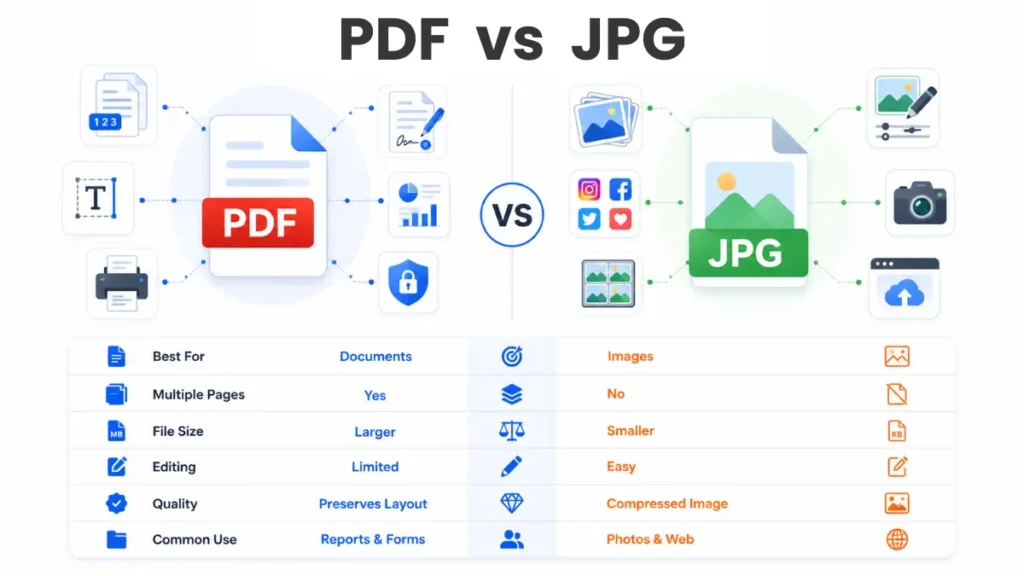
People often compare these formats, but they were created for different purposes.
A PDF keeps documents exactly as they were designed. Fonts stay in place. Images remain aligned. Every page looks the same on different devices.
JPG focuses on images. Phones, websites, messaging apps, and social media platforms use it every day.
Here is a simple comparison.
| Feature | JPG | |
|---|---|---|
| Best for | Documents | Images |
| Multiple pages | Yes | No |
| Easy to upload | Sometimes | Yes |
| Social media | Limited | Excellent |
| Photo editing | No | Yes |
Neither format is better than the other.
The right choice depends on what you need to do next.
Small Problems That a Converter Solves
Most people search for a converter after running into a small but frustrating problem.
- A company asks for a JPG certificate.
- A university portal rejects a PDF.
- A client wants only one page from a report.
- A messaging app compresses screenshots until the text becomes difficult to read.
Each situation feels different, but the answer is often the same. Convert the page into a JPG image and send exactly what is needed.
That is one reason these tools have become part of everyday office work.
How a PDF to JPG Converter Works
The process feels simple from the outside, but several things happen in the background.
- You upload the PDF.
- The converter reads every page.
- Each page becomes a separate JPG image.
- The images are prepared for download.
- Most documents finish in only a few seconds.
Long reports naturally take a little longer than a single-page file, but the steps stay the same from beginning to end.
There is nothing to learn. If you know how to upload a file, you already know how to use the tool.
A Few Tips Before You Convert
Start with the original PDF whenever possible. A document that has already been compressed often produces lower-quality images.
Scan paper documents in good lighting. Dark shadows around the page remain visible after conversion.
If the document contains small text, choose the highest image quality available. The file becomes slightly larger, but the words stay easier to read.
Open the final image before uploading it anywhere. A ten-second check is much faster than filling out an application twice.
PDF to JPG Document Converter
Think about the last time someone asked for a single page from a document. Sending the whole PDF felt unnecessary. A pdf to jpg document converter fixes that in a few seconds. Each page becomes its own image, so you can share only the page that matters.
This is common with certificates, invoices, contracts, and mark sheets. A university may ask for the first page of a certificate. A bank may need only one page from a statement. There is no reason to send ten pages if one page answers the request.
The image is easier to preview, simpler to upload, and opens without a PDF reader.
Why Many People Choose a PDF to JPG Online Converter
Installing software for a single task rarely feels worth the effort. Most people only need to convert one document, save the images, and move on.
A pdf to jpg online converter works inside your browser. Open the tool, upload the file, and download the converted pages. The same steps work on a laptop, desktop computer, tablet, or mobile phone.
Picture this. You’re travelling and someone emails an important document. Your laptop isn’t with you. Your phone is enough. Open the converter in your browser, convert the file, and send the image before the deadline.
That convenience is one reason browser-based converters have become so popular.
PDF to JPG Online Free
Most conversions happen only once. A student submits an assignment. A customer uploads a document for KYC. A business owner shares an invoice. Paying for software rarely makes sense for jobs like these.
People search for pdf to jpg online free because they want a quick answer without creating an account or downloading another application.
A free converter works well for everyday documents such as:
- School assignments
- Government forms
- Bills
- Receipts
- Certificates
- Office reports
The entire job often takes less time than opening traditional editing software.
JPG or JPEG? There Is No Difference
One search appears again and again.
People look for a pdf to jpg jpeg converter free and wonder if JPG and JPEG are different formats.
They are not.
Both names describe the same image format. Years ago, some computer systems accepted only three-letter file extensions, so “.jpg” became common. Other systems used “.jpeg”. Today, almost every website, phone, and computer accepts both.
If a website asks for JPEG, don’t worry if your file ends with JPG. In almost every case, it will work exactly the same.
That small detail saves people from converting the same document twice.
Why Browser-Based Conversion Makes Sense
A pdf to jpg online tool fits naturally into everyday work.
- Someone sends a PDF through email.
- A website asks for a JPG.
- The document is converted.
- The upload is finished.
- There are no extra programs to update and no files left sitting on the computer after the job is done.
- Many people use the tool once and forget about it until the next application or document arrives.
PDF to JPG Converter Online
A pdf to jpg converter online becomes useful in places that most people never think about.
- A teacher shares one worksheet with a classroom.
- A designer sends a single page from a brochure for approval.
- A recruiter asks for one page from a résumé.
- A hospital requests a scanned prescription in image format.
- The document changes, but the task stays the same. Turn one page into a clear image and send it.
- That is much faster than taking screenshots, cropping them, and checking whether the text is still readable.
Common PDF to JPG Converter Mistakes
A quick check prevents many upload problems.
- Open the JPG image once before sending it.
- Read the smallest text on the page.
- Check that every corner of the document is visible.
- Compare the uploaded page with the original PDF.
- Confirm that the website accepts JPG files.
These steps take less than a minute. They save much more time than uploading the wrong file and starting again.
Frequently Asked Questions
Can I convert every page of a PDF into a JPG image?
Yes. Each page becomes a separate JPG image after conversion.
Does converting a PDF reduce quality?
A clear PDF produces a clear image. If the original document is blurry, the JPG will look the same.
Can I use a PDF to JPG converter on my phone?
Yes. Most pdf to jpg online converter tools work in mobile browsers without installing an app.
Is JPG the same as JPEG?
Yes. JPG and JPEG are the same image format. The file extension is the only visible difference.
Can I convert PDF to JPG online free?
Yes. Many users choose pdf to jpg online free tools for school work, office documents, and government forms.
Conclusion
A pdf to jpg converter turns document pages into images that are easy to upload, share, and store. The job takes only a few clicks, yet it removes one of the most common problems people face during online applications.
Whether you need a pdf to jpg document converter for a certificate, a pdf to jpg online converter on your phone, or a pdf to jpg converter online during office work, the goal stays the same. Create a clear image that is ready to use without wasting time.
Before you upload the final file, zoom in once and read the smallest text on the page. That simple habit catches blurry images, missing corners, and scanning mistakes before they become a problem.