
Signature Resize Online – Resize Signature in KB for Free
Signature resize is something almost everyone runs into sooner or later, usually at the worst possible moment — right when a form is due in an hour. Government portals, banking websites, job application forms, and college admission systems all ask for a scanned signature, and almost all of them reject the file the first time. The photo looks fine on your phone, but the portal says the file is too big, too small, or the wrong format.
This guide walks through what that actually means, why file size limits exist, and how to shrink your signature online without turning it into a blurry mess. By the end, you’ll know exactly how to handle signature resize online and get your form submitted without three failed attempts.
Signature Resize Tool
Resize your signature to an exact pixel or centimeter size and target file size in KB — perfect for exam and application forms. Everything happens inside your browser. No uploads. 100% private.
Drag & drop your signature here
or click to browse — you can also paste an image with Ctrl/Cmd + V
Supports JPG, JPEG, PNG, WEBP · Max 25MB per file
Selected Signatures 0
Resize Settings
= 276 × 118 px
Your signature is stretched to fit exactly these dimensions, as most exam and application forms require.
Resizing…
Summary
Results
Crop Signature
Drag the corners to select the area you want to keep, then apply.
Signature Resize: What It Means and Why It Matters
Signature resize simply means changing how much space your signature image takes up — either in pixel dimensions, in file size, or both. These are two different things, and mixing them up is where most people get stuck. Dimensions are about width and height, measured in pixels. File size is about how many kilobytes the image takes up on disk. You can have a small-looking signature that’s still 500 KB, and a large-looking one that’s only 15 KB, depending on compression.
Most forms care about file size, not just appearance, because servers need to store thousands of these files without running out of space. That’s why signature resize in KB matters more than resizing in inches or pixels alone. Formats also play a role here — JPG and JPEG compress well and are usually preferred, while PNG keeps sharper edges but produces larger files for the same quality.
When You Need to Resize Your Signature in KB
You’ll bump into this requirement more often than you’d expect. Government application forms, passport applications, and banking KYC updates almost always specify an exact size range. Scholarship forms, college admission portals, and employment sites do the same, and so does most digital document signing software.
The actual numbers vary a lot from one portal to another. Some ask for as little as 10 KB, others want 20 KB, 30 KB, 50 KB, or even up to 100 KB. A passport form might cap you at 20 KB while a banking portal accepts up to 50 KB for the same type of document. This is exactly why signature resize online tools are useful — instead of guessing, you upload once, adjust the target size, and download a file that matches what the specific form asks for. Because the limits differ so much, always check the exact number printed on the form instructions before you resize your signature in KB, rather than assuming one size fits every portal.
| Common Portal Type | Typical Signature Size Limit | Preferred Format |
|---|---|---|
| Government exam forms | 10–20 KB | JPG |
| Passport application | 20 KB | JPEG |
| Banking KYC | 20–50 KB | JPG/PNG |
| Scholarship portals | 30–50 KB | JPG |
| College admission forms | 20–100 KB | JPG/PNG |
File size distribution across common portals (visual guide):
10 KB  ██████            Exam forms
20 KB  ████████████      Passport / KYC
30 KB  ███████████████   Scholarships
50 KB  ███████████████████   Banking
100 KB ████████████████████████████  College admissions
How to Resize a Signature Without Losing Quality
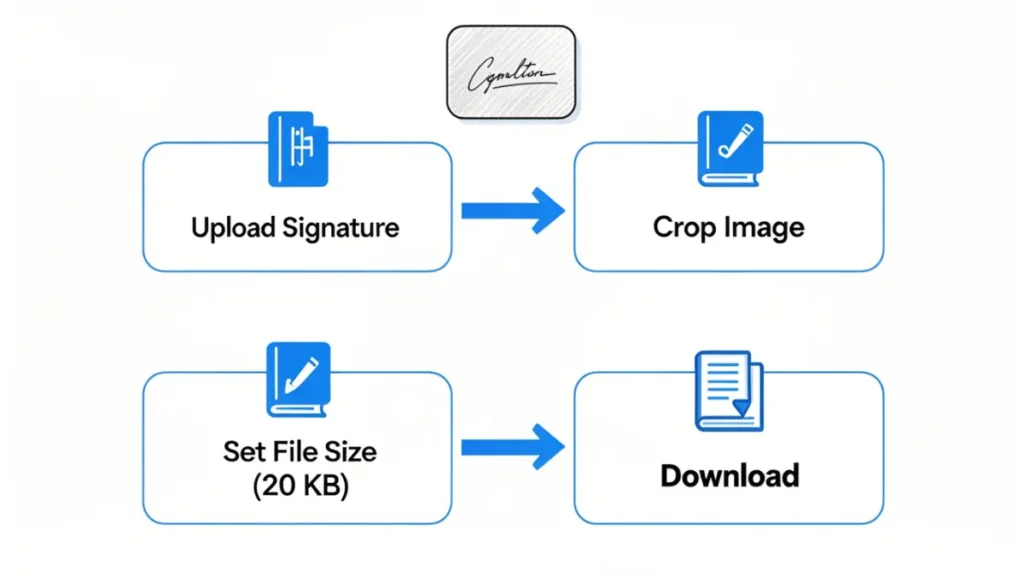
Start with a clean scan or a clear photo taken in good light, on a plain white background. A shaky, shadowed photo will look worse no matter how much you compress or resize it later, so this first step matters more than people think.
Next, crop out the empty space around the signature. A tightly cropped image looks sharper and compresses to a smaller file size naturally, before you even touch any settings. Choose JPG when the form allows it, since JPG handles compression better than PNG for handwritten signatures with a plain background.
From there, compress gradually instead of dragging the quality slider straight to the bottom. Reduce it a little, check the preview, and repeat until the signature is still clearly readable but the file size fits the limit. Many official instructions note that signature size should be at least 20kb, which exists precisely to stop over-compressed, blurry signatures from being accepted — so don’t assume smaller is always better. Avoid stretching the image to fit a box, since that distorts the signature’s proportions. Once the preview looks right and the size matches the requirement, download the file and rename it clearly before uploading.
Common Signature Upload Mistakes to Avoid
Most rejected uploads come down to the same handful of mistakes. A blurry signature from a low-light photo is the most common one, followed by wrong dimensions that don’t match what the form specifies. Uploading a PNG when JPG was required (or the other way around) is another frequent issue.
Background shadows from scanning on a dark surface, signatures cropped so small they’re hard to read, and images rotated slightly sideways all cause rejections too. On the opposite end, excessive compression can make a signature so blurry it gets flagged manually, and oversized files simply won’t upload at all.
It’s worth repeating: many government portals state that signature size should be at least 20kb, while others specify different ranges entirely. Always read the upload instructions on the actual form before submitting, since assuming a fixed number across different online resizing tools is one of the most avoidable mistakes applicants make.
Choosing the Right Online Tool for Signature Resize
A good tool for signature resize should process your file securely, without storing copies of a personal document like your signature. It should compress quickly, skip watermarks, and work just as well on a phone browser as on a desktop.
Look for a tool that lets you set an exact KB target instead of just picking “small, medium, large,” since forms usually specify an exact number. A live preview before downloading saves you from re-uploading the same file five times. The ability to download the result more than once, without extra charges, and use the tool for free are both worth checking before you commit to one. A reliable signature resize in KB tool with these features turns a frustrating five-minute task into something that takes under a minute.
Frequently Asked Questions
How can I resize my signature online?
Upload your scanned or photographed signature to a free online tool, set your target file size, and download the compressed version once the preview looks clear.
Can I resize my signature to exactly 20 KB?
Yes, most tools let you set a specific KB target, and many forms specifically request signature resize in KB to that exact figure.
Will resizing reduce quality?
There’s always some quality loss with compression. You can adjust it a bit at a time until you have a signature that is readable but still meets the size requirements.
What format is best?
JPG or JPEG is usually the best choice for signatures, because it compresses well and still lets you see the handwriting.
Can you resize online signatures safely?
Yes, provided you use a tool that is safe and doesn’t keep your personal documents after conversion.
Conclusion
Getting your signature size right saves you from repeated form rejections and last-minute stress. Always check the exact upload requirement on the portal you’re using, since limits range anywhere from 10 KB to 100 KB depending on the form. With a reliable, free signature resize online tool, you can crop, compress, and download a properly sized file in under a minute — no design software needed.