
A username generator hands you a fresh handle in a few seconds. You skip the ten minutes of typing names that someone else already took.
Pick a style, add a keyword if you like, and set the length. Then copy the one you want. This page also explains how to choose names for Instagram, YouTube and business accounts.
Random Username Generator
Generate username ideas for Instagram, YouTube, gaming, business and other accounts. Pick a category and style, set the length and numbers, add your own keyword, then copy the ones you like. Everything happens inside your browser.
Username options
Keywords use letters and numbers only. Each platform has its own length and character rules, and a name may already be taken, so check availability when you sign up.
Your usernames
How a Username Generator Works
Most generators mix word lists with numbers and symbols. You set the rules, and the tool shuffles them into new combinations.
Say you type “coffee” as a keyword and ask for 12 characters. You might get “coffeefox27” or “brewlark_88”. Every click gives a new result, so you can scan 20 options in a minute.
Decide how long the name should be before anything else. Short names look clean, but they get taken fast. Names of 10 to 15 characters are easier to find free, and they still fit most profile boxes.
Instagram Username Generator: Handles People Remember
A good generator has to respect the rules of the app. Instagram handles allow letters, numbers, periods and underscores, and they have a length cap. Confirm the current limit in the app before you settle on a name.
Start with a keyword from your content. A baker in Pune could try “puneloafclub” or “crumb.and.co”. A fitness coach might like “lift.with.rohan”. A username generator for instagram works best when the keyword is something you post about every week.
Keep it easy to say out loud. If a friend can’t spell it after hearing it once, shorten it. Avoid long runs of numbers, because “ria_20938471” looks like a bot account.
Use one separator at most. Two or three periods and underscores make a handle slow to type on a phone.
Username Generator YouTube: Channel Names That Stick
Creators usually need a channel handle on day one, before the first video is even uploaded. That handle shows in your channel link and in every comment you post. Check the current character limits on YouTube before you publish.
Pick a name that still works if your topic changes. A channel called “cheapphonereviews” is stuck with phones. “Pocketlab” can cover phones, earbuds and cameras later.
Say the handle out loud, because viewers will repeat it in comments and videos. Skip look-alike characters such as a capital I and a lowercase l.
Username Generator Business: Names for Brands and Work
A tool for shops, studios and freelancers should start from the brand name, not from random words. Customers search for what they already know, so the handle has to match what’s on your signboard or invoice.
Use the same handle on Instagram, YouTube, X and LinkedIn when you can. Someone who finds “greenleafsoaps” on one app will type the same name into another.
If your exact name is taken, add a plain word. “greenleaf.studio” looks better than “greenleafsoaps2847”. Add “official” only if the account really is official.
Username Generator Random: When a Private Name Is Better
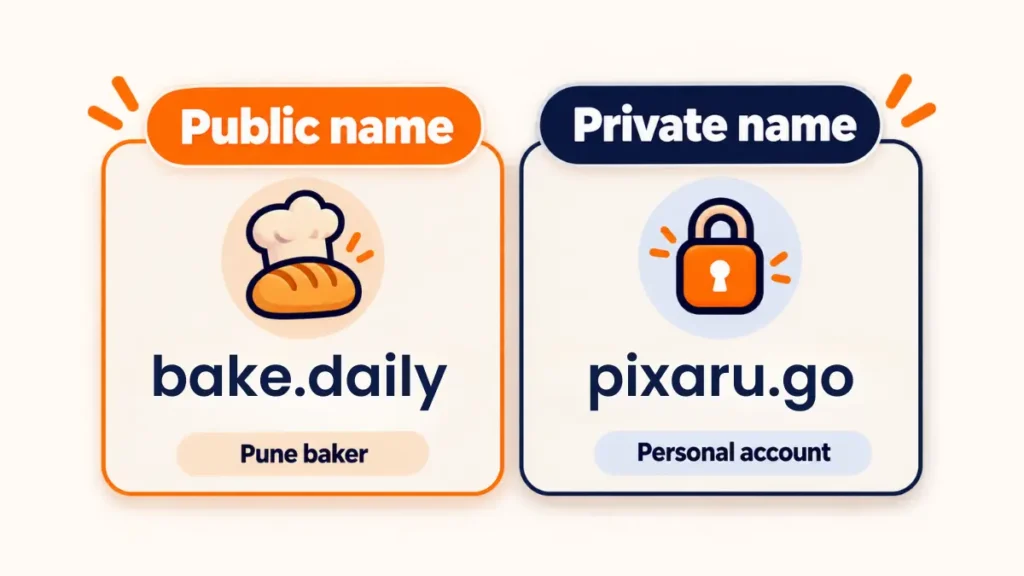
Public accounts want a memorable name. Private ones want a forgettable name. For forums, shopping sites and test accounts, a random mode is the safer pick.
A random name has no link to you. Suppose one site leaks its user list. Nobody can match “fern_quartz_914” to your Instagram handle. A reused name makes that match easy.
Add a long password and switch on two-factor authentication for that account. A password manager can keep the list for you, so memory stops being a problem.
Leetspeak, Numbers and Symbols
Leetspeak replaces some letters with digits or symbols that look similar. A typical set turns a into 4, e into 3, i into 1 and o into 0. “Pixel” becomes “p1x3l”.
Use it sparingly. Change one or two letters and leave the rest plain. A name with every letter swapped is hard to read and harder to type.
Numbers work as a tiebreaker when your first choice is taken. Skip your birth year, since it gives away personal data. Pick a number with no link to you, such as 7 or 42.
What to Leave Out of Your Username
Skip your full name, phone number, birth date, school and city. Each detail makes a stranger’s guess easier. A name like “rahul_sharma_mumbai_2001” gives away four facts at once.
Read every generated name once for unwanted meanings. Generators join words at random, and sometimes the result is rude in Hindi, English or another language you know.
Avoid reusing a handle from an old gaming or forum account. Old posts under that name may still be public.
Checking Availability Before You Commit
A name that’s free in the generator can still be taken on the platform. Open the sign-up page and type it in before you design a logo or print business cards.
Run three checks. Try the app itself. Search the exact name on Google. Look for a matching web domain. If Google shows an unrelated brand with the same name, pick another.
Do this once for every platform you plan to use. It takes about five minutes and saves a rename later. Keep your top three picks on a note, so a backup is ready.
Three Quick Name Formulas to Try
For a creator, join your topic with a verb. Think “bake.daily” or “codewithmeera”. For a gamer, pair an animal with a colour, such as “violetfox”. For a private account, combine two unrelated words and a number, like “pine_lantern_63”.
Generate ten options with each formula. Then keep the one you can say without stumbling.
Common Mistakes When Choosing a Username
Taking the first name on screen is the big one. Generate at least ten, then compare them side by side.
Going too long comes next. A 28-character handle gets cut off in comments and mentions, and nobody wants to type it.
Third, using one name everywhere. If a single site leaks it, every other account you own becomes easier to find.
Quick Answers Before You Start
How long should a username be?
Aim for 8 to 15 characters. That’s long enough to stay unique and short enough to type.
Can I change a username later?
Most apps allow this, but some limit how often you can. Rules change over time, so check the app first.
Is a generated username safe to use?
The name itself carries no personal data. Your account still needs a strong password, because the name protects nothing alone.
Should my Instagram and YouTube names match?
For a brand, they should. For private or hobby accounts, use different names.
Does the tool cost anything?
It’s free, and you don’t need to sign up.
Conclusion
A username generator saves time and hands you names you might never have thought of. Choose the style that fits the platform, generate ten options, and check availability. Keep public names easy to remember and private names random. Pick one from the tool above and claim it today.